 Shopping List Module
Shopping that's planned, shared, and never forgotten
Whether it's weekly groceries, a birthday party, a festival gathering, or a back-to-school run — create a list, share it with the people involved, and let everyone add what they need. Schedule shopping day on your calendar. Track purchases in real time. When you're done, generate a fresh list from the same items for the next shopping run.

Everyone needs something. No one writes it down in the same place.
In a household of two, three, or four people, everyone has things they need. Groceries, toiletries, school supplies, household items. Some are shared, some are personal. The requests come through text messages, sticky notes, verbal reminders, and mental notes that get forgotten by the time you reach the store.
You make a list — maybe on your phone, maybe on paper. But it's your list. Your partner doesn't see it. Your kids can't add to it. By the time you're at the store, you're missing half the things someone needed but never told you about.
And next week? You do it all over again. Same items, same process, same coordination failures. The list itself is disposable — you build it from scratch every time.
One list the whole family builds together
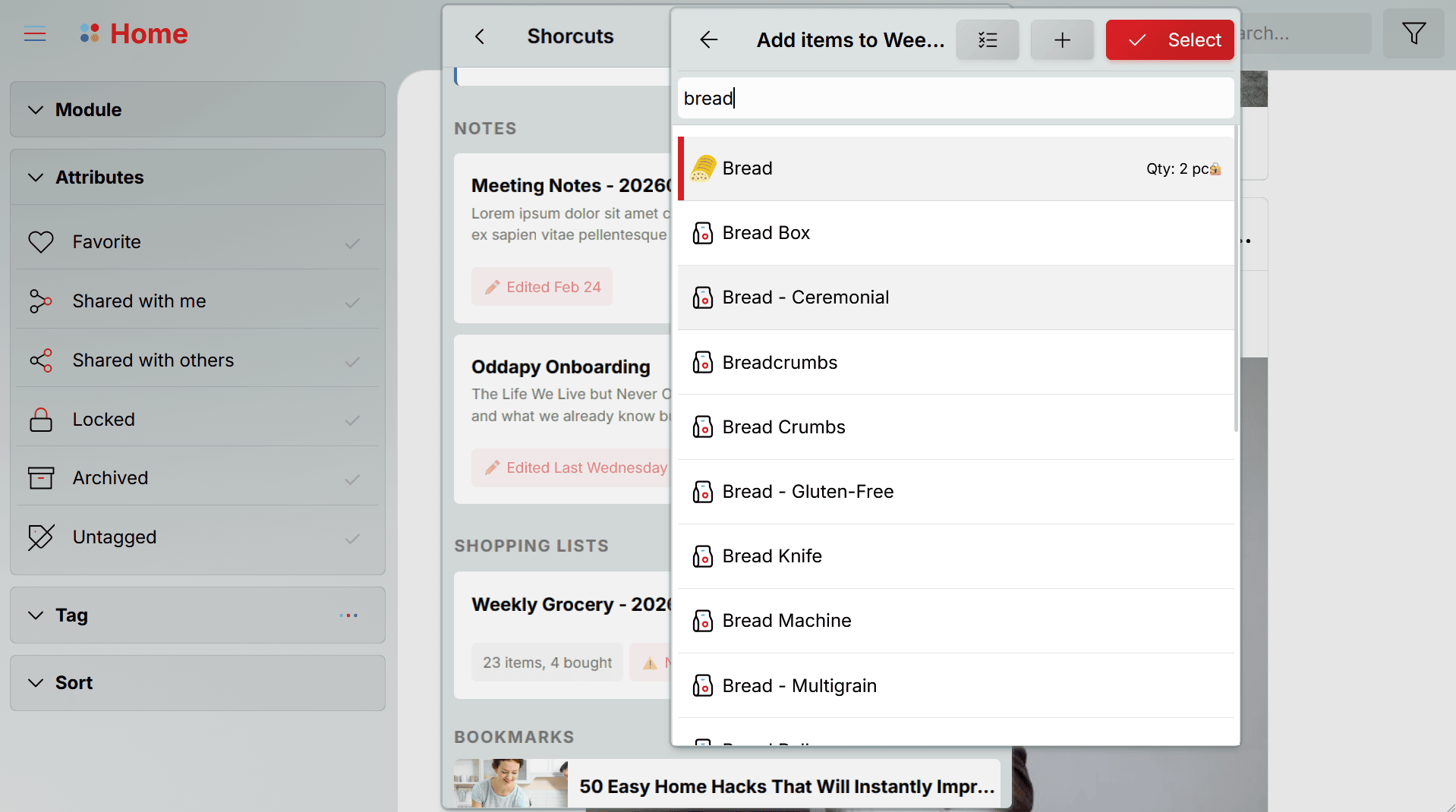
Choose from 4,500+ items
You don't start from scratch. Oddapy's Shopping Item Manager contains over 4,500 pre-built items covering groceries, household supplies, personal care, and more. When adding items to a list, search the library and select what you need, then modify it as you need. Multi-select is supported, so you can add a dozen items in seconds.
If an item has been purchased before, its quantity, price, and priority are pre-populated from the previous purchase. New items start blank and remember your entries for next time. You can also create custom items if something isn't in the library.
Share and build the list together
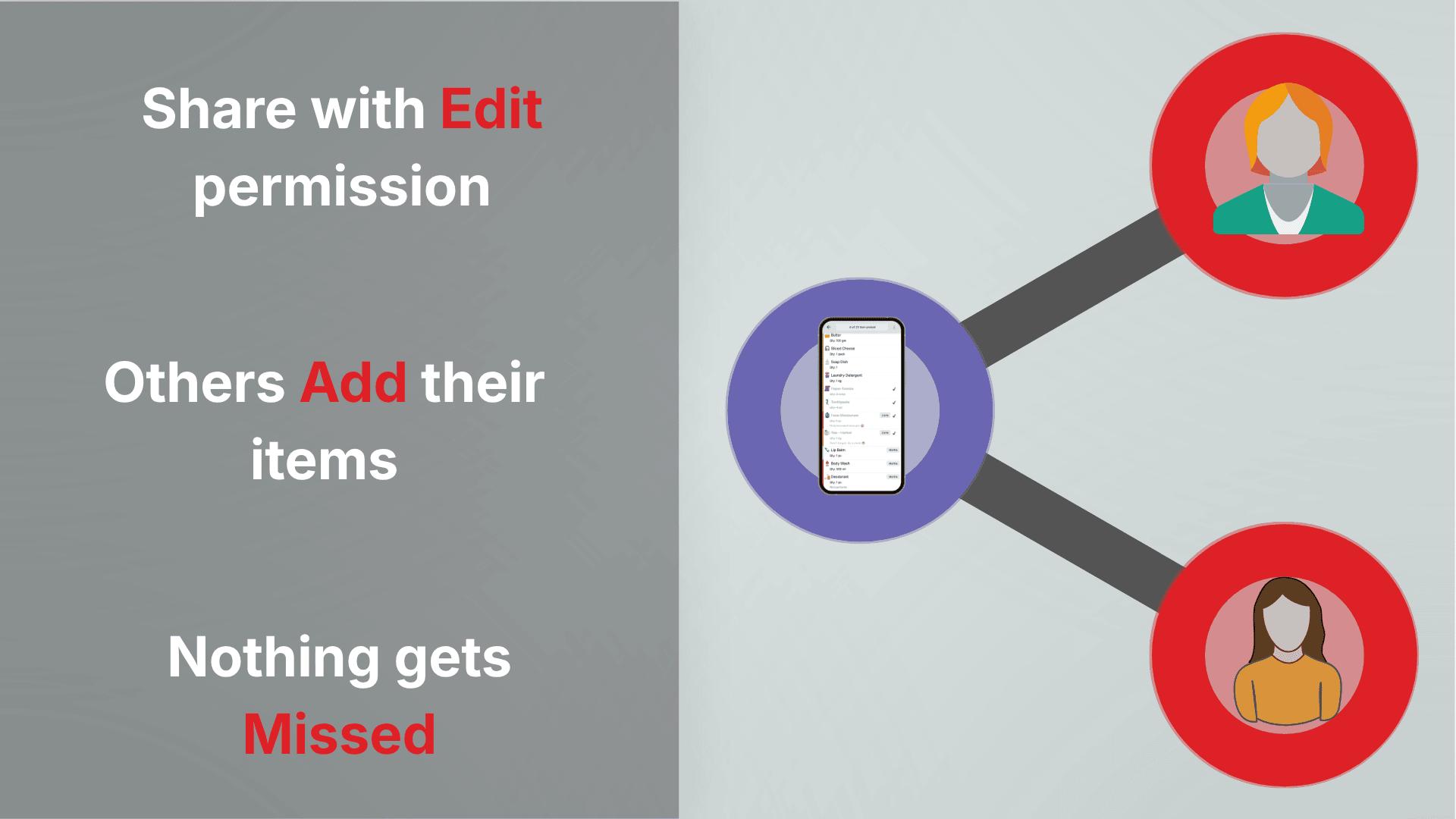
Share a shopping list with contacts and grant edit permission. Every shared user with edit access can add items to the list directly. Each item shows the name of the user who added it, so everyone knows who needs what.
The creator-owner stays in full control. You can delete any item on the list, including items added by others. Shared users can only modify or remove items they added themselves. Once an item is marked as purchased, the person who added it can no longer change it — the purchase record is locked in. This keeps the list collaborative but orderly: everyone contributes, no one overwrites, and purchase history stays accurate.
Schedule your shopping day
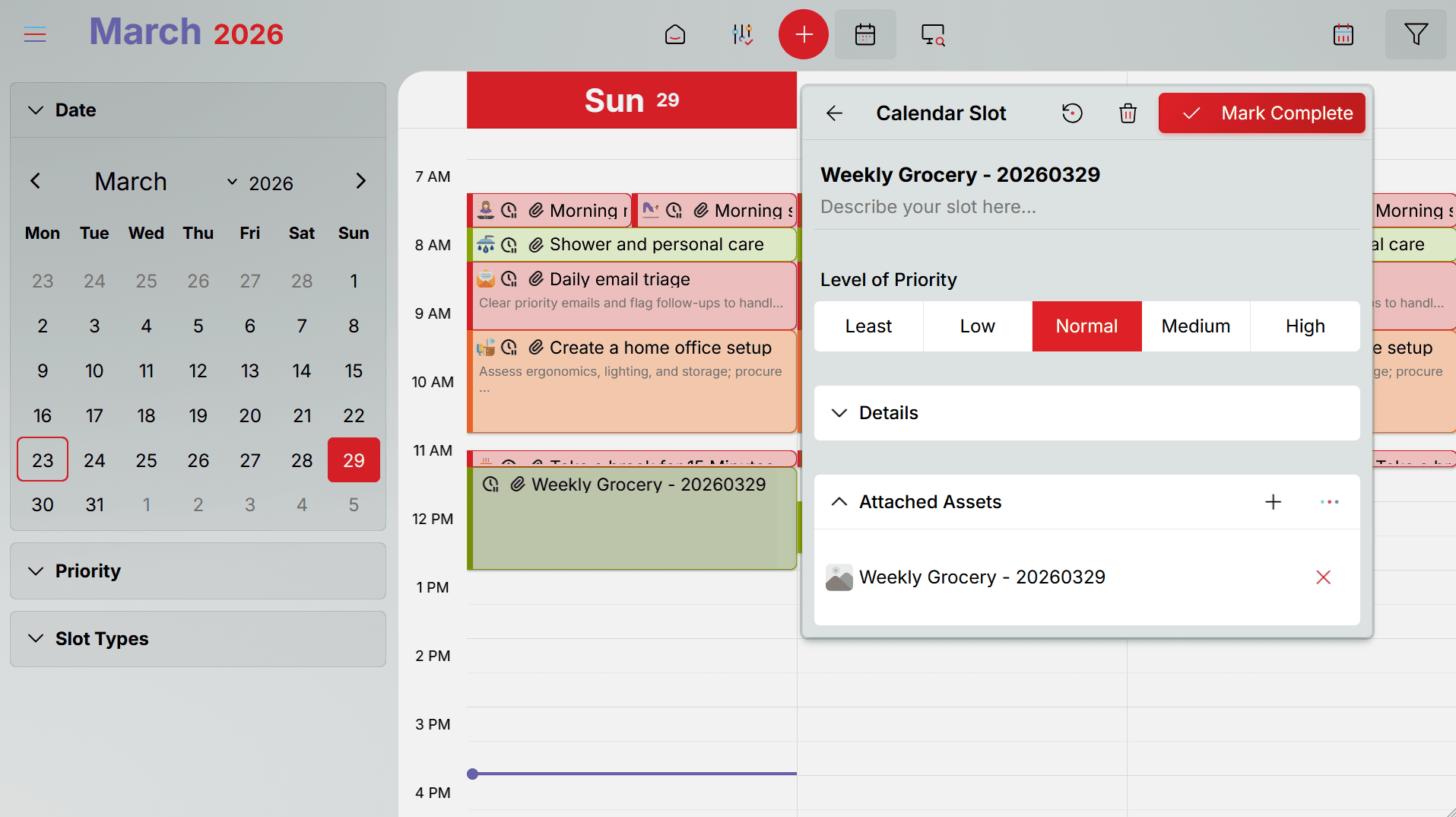
Attach a shopping list to a calendar slot. When the scheduled time arrives, you get a notification and the list is right there, ready to go. No searching for the right app, no scrolling through notes — the list is attached to the moment you need it.
For recurring shopping — weekly groceries, monthly supplies — the calendar slot gives structure to what would otherwise be an ad hoc errand. You know when you're shopping, and the list is prepared before you leave. You get highlights of the approaching shopping trip in the Launch Pad as well.
Gallery view for in-store shopping
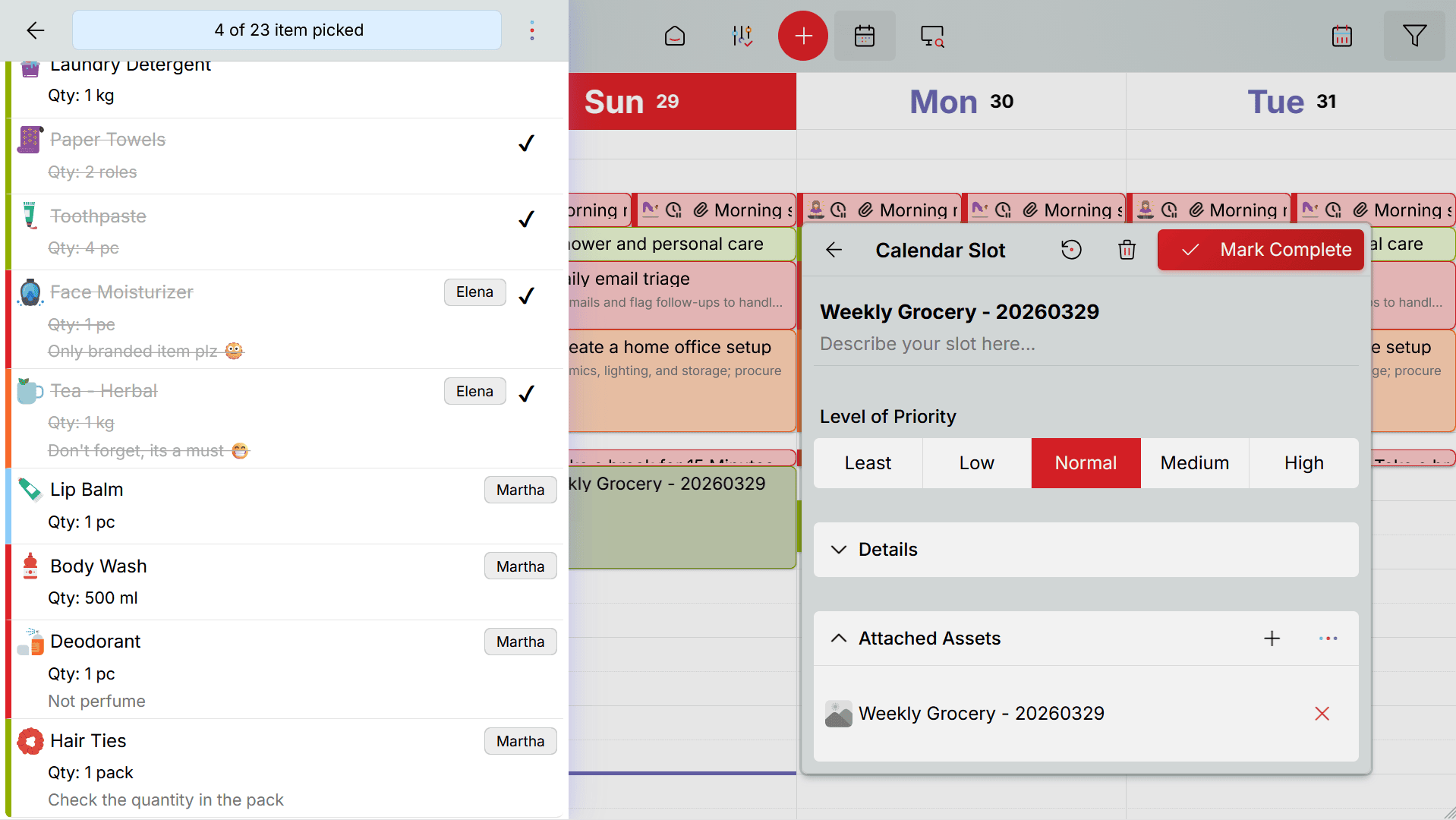
When you're at the store, start shopping from the Launch Pad directly in the Gallery view. It gives you a larger, more visual layout of your list — easier to scan while you're walking through aisles. Check items off as you pick them up. The list updates in real time, so anyone with access can see what's been purchased and what's still needed.
Track quantity, price, priority, and notes
Every item on the list carries structured details: quantity, unit, price, priority, and an optional note. Set the quantity to 2 kg, the price to your usual spend, the priority to high, and add a note like "get the organic one." These details appear during shopping, so you buy exactly what's needed without guessing.
Shop, complete, repeat — without rebuilding the list
Most shopping list apps are disposable — you create a list, shop, and the list is done. Next week, you start over. Oddapy turns shopping into a cycle, and the Launch Pad drives every step.
Create
Build a list from the 4,500+ item library, or copy items from a previous list. Add it to the Launch Pad — this is your shopping command center from here on.
Populate
Share the list with your household. Everyone adds what they need throughout the week. As items are added, the Launch Pad keeps you updated with a live count of what's on the list.
Schedule
Attach the list to a calendar slot for shopping day. The Launch Pad highlights your upcoming shopping trip and prompts you to finalize the list as the date approaches.
Shop
Start your shopping run directly from the Launch Pad — it takes you straight into Gallery view. Mark items purchased as you go. A buying record is created for every purchased item, tracking quantity and price.
Complete and repeat
When the run is done, start the next shopping list directly from the Launch Pad. The new list inherits the same items with their quantities and prices — but carries no purchase history. It's a fresh list, ready for the next cycle. The completed list can be archived directly, keeping Home and Explorer cleaner.
The entire cycle lives in the Launch Pad. From creating the list to starting the next one, you never need to navigate into the module. You don't manage this cycle — you just use Oddapy. The workflow has been designed in such a way that you'll not notice that your are in a shopping cycle.
Your shopping list, always one tap away
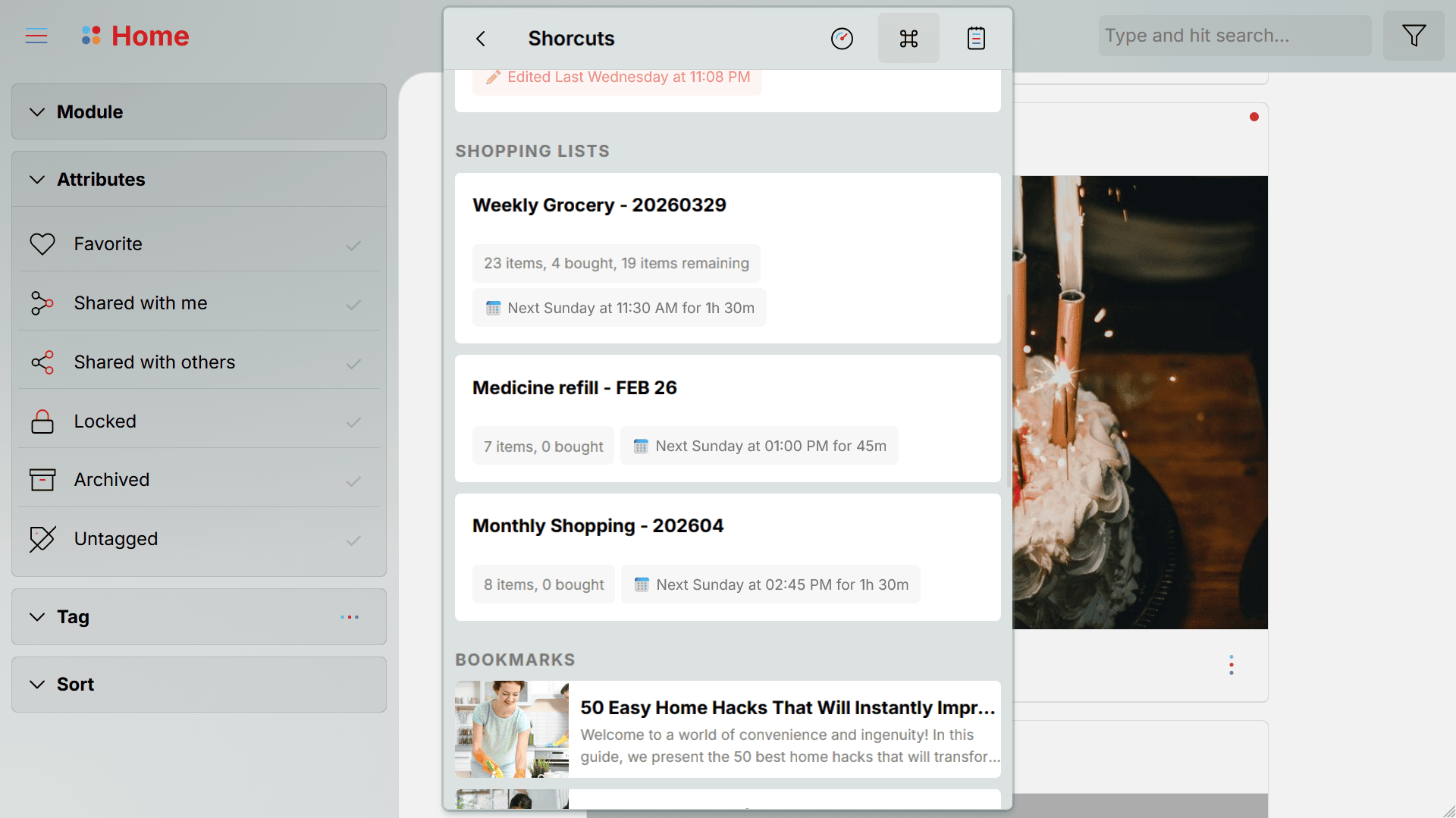
Pin up to three shopping lists to the Launch Pad Shortcuts page. Each pinned list shows a live summary: how many items have been purchased, how many remain, and whether the list is attached to a calendar slot.
When a scheduled shopping event is approaching, the Launch Pad highlights it — a heads-up to review the list, add any last items, and prepare before you leave. If a list has no calendar slot attached, that's flagged too: a reminder that your shopping has no scheduled time, which means it's more likely to be forgotten.
The Launch Pad turns your shopping list from something you have to remember to open into something that surfaces automatically when it matters.
Folders and tags for every kind of shopping
Not every shopping list is a weekly grocery run. You might have a list for a birthday party, another for back-to-school supplies, one for a home improvement project, and your regular groceries. Folders keep them organized by purpose. Tags add another layer — tag a list as "urgent," "monthly," or "budget" and filter across all your lists instantly.
Default folders are provided at sign-up, and you can create your own. Fifty ready-made tags are available from day one, with custom tags available anytime.
Lists for every kind of shopping run
Weekly Groceries
Create a grocery list, share it with your partner and family, let everyone add items through the week. Schedule Saturday morning on the calendar. Shop with Gallery view. Complete the run and generate a fresh list for next week.
Event Planning
Throwing a birthday party? Hosting a dinner? Create a dedicated list for the event. Add decorations, food, drinks, supplies. Share with whoever is helping organize. Attach it to the prep day on your calendar.
Household Supplies
Cleaning products, toiletries, batteries, light bulbs — the things you always run out of at the worst time. Keep a running household supplies list. Add items as you notice you're running low. Schedule a monthly restocking trip.
Special Occasions
Back-to-school shopping, holiday gifts, vacation packing. Create a one-time list, populate it over days or weeks, and complete it when you're ready. Copy a previous year's list as a starting point.
Your shopping stays between you and your household
Your shopping lists are stored in your private space. Files are encrypted at rest and in transit. No one sees your lists but you and the people you explicitly share with. There are no ads, no profiling, and no data selling. Oddapy doesn't profile your purchases or sell your shopping data to third parties.
Your first shopping list, in under a minute
Create a list
Tap the Shopping List button on the Launch Pad Shortcuts page and give it a name. Your list is created and opens in Asset Props. Assign a folder and tags if you want to keep things organized. You can also create a list from the Explorer.
Add items
Open the item selection dialog and search from 4,500+ pre-built items. Select multiple items at once. Each item comes with quantity, price, and priority fields. If you've purchased an item before, the details are pre-populated. Share the list with your household so everyone can add what they need.
Schedule and shop
Attach the list to a calendar slot for shopping day. When the time arrives, open the list — switch to Gallery view for easy in-store scanning. Mark items as purchased. When you're done, generate a fresh list from the same items and you're ready for the next run.
Stop rebuilding the same list every week
Sign up free. Create your first shopping list with 4,500+ items ready to choose from. Share it with your family and never miss an item again.
Start Your List Free Install AppShopping is just one part of an organized life
Attach shopping lists to your calendar alongside goals, notes, and everything else. Keep your entire life connected in one app.