 Bookmarks Module
Your bookmarks, free from any browser
Save articles, videos, blogs, and any web content in one visual library that works across every browser and every device. Organize with folders and tags. Schedule links to your calendar so that article you saved actually gets read. No more losing bookmarks when you switch browsers, clear history, or change devices.
You save everything. You find nothing.
You find an article worth reading — you bookmark it. A product page you want to revisit — bookmarked. A tutorial, a recipe, a video, a resource for a project — all bookmarked. But bookmarked where?
In Chrome on your work laptop. In Safari on your phone. In Edge on the family computer. In a browser you stopped using six months ago. Scattered across browsers, devices, and profiles with no way to search across them. When you need that one link, you scroll through hundreds of entries in a flat, text-only list hoping to recognize it.
And the articles you saved "for later"? Later never came. They sit in a bookmark folder gathering digital dust, because saving something and scheduling time to read it are two completely different actions — and your browser only does the first.
One library for everything you save online
Save any link in seconds
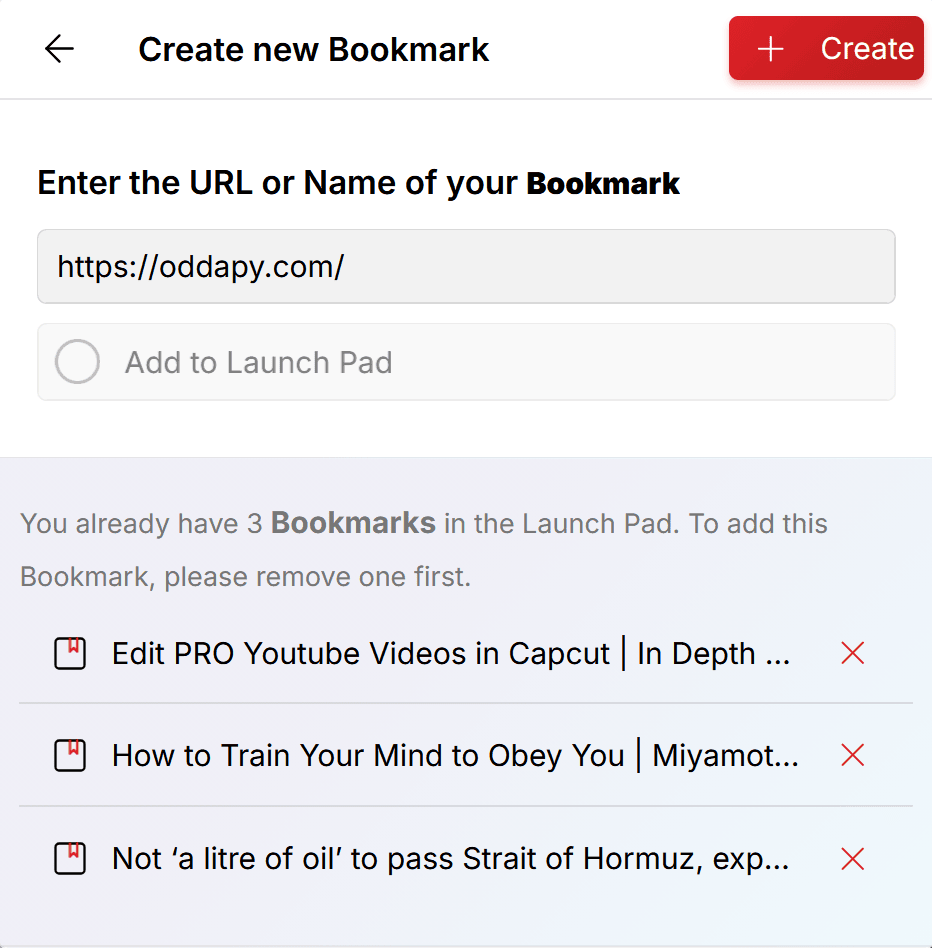
Copy a link from any browser, tap the plus button, select Bookmark, and paste. Oddapy automatically captures the website's name and description from the URL. Both can be edited if you want to add your own title or a more descriptive summary. The original link is saved and can also be updated if needed.
That's it. One action, and the link is saved in a centralized library that's independent of any browser, device, or profile.
Browse visually, not through text lists
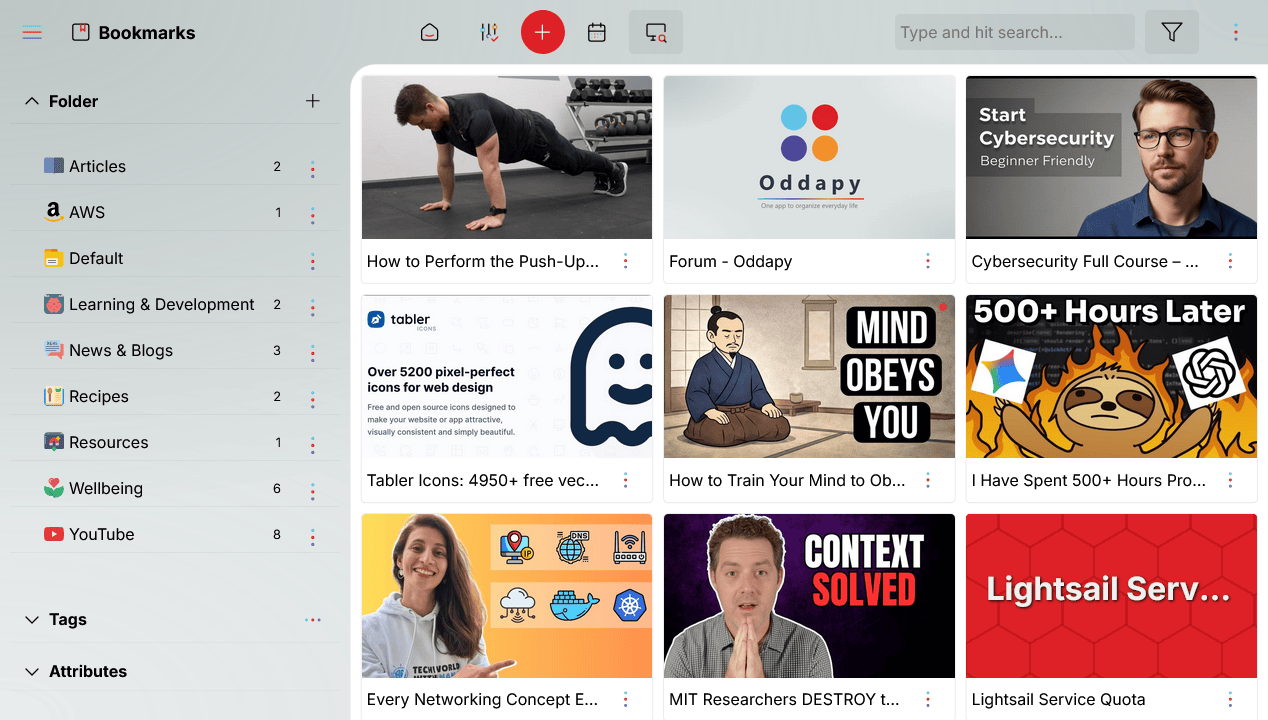
Every bookmark can carry a cover photo. Instead of scanning a wall of text links trying to recognize what you saved, you browse a visual library of thumbnail cards — each showing the cover image, title, and summary at a glance.
The difference is immediate. A visual card is recognizable in a fraction of a second. A text link in a list of hundreds is not. Cover photos turn bookmark management from a chore into something you can navigate effortlessly.
Organize with folders and tags
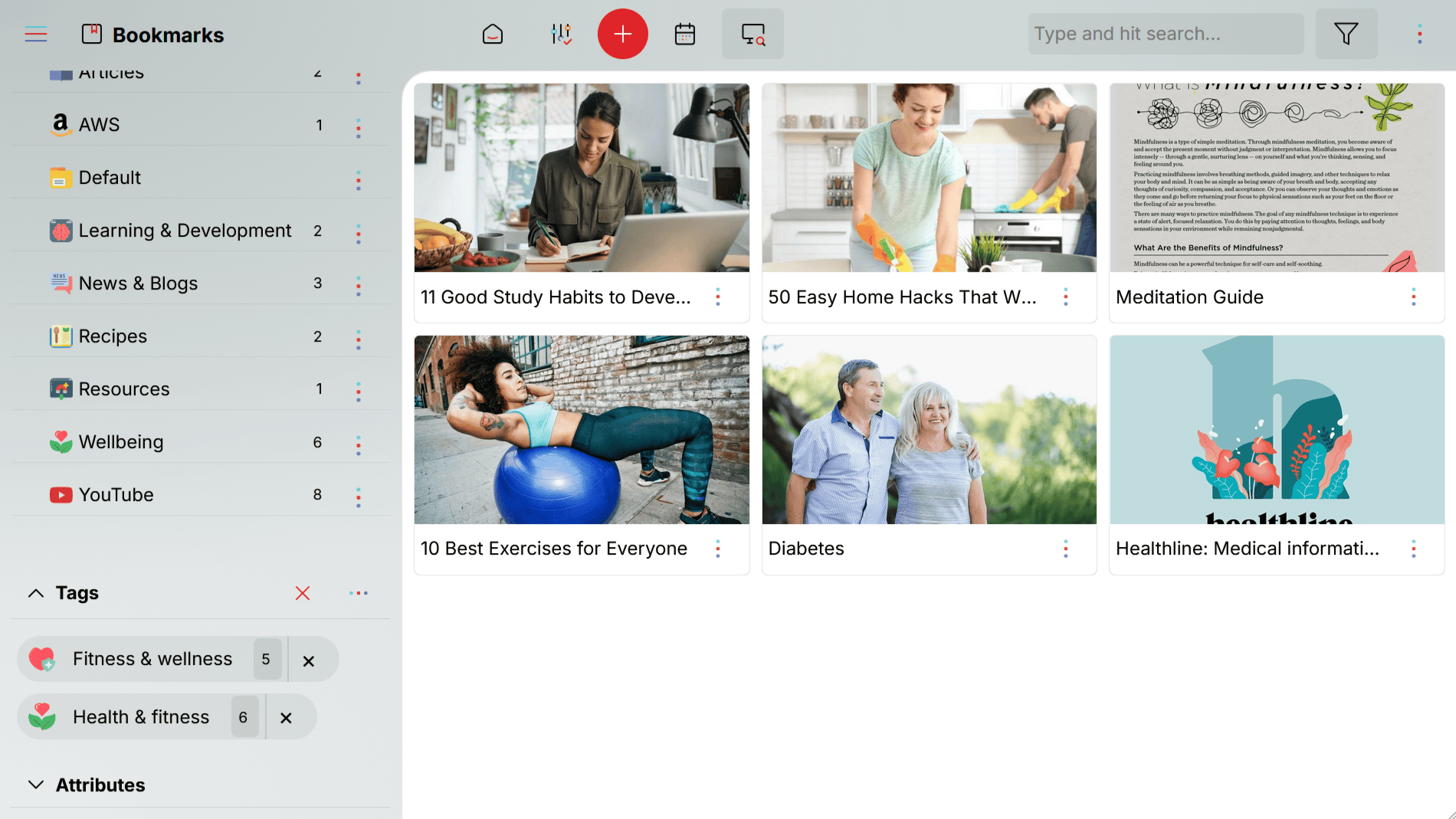
Every bookmark can be placed in a folder and tagged with one or more labels. Folders group bookmarks by context — work resources, personal reading, recipes, a project's reference material. Tags cut across folders: tag a bookmark as "urgent," "research," or "weekend reading" and filter instantly.
Default folders and 50 ready-made tags are available from sign-up. Create custom folders and tags anytime to match how you think.
Schedule your reading
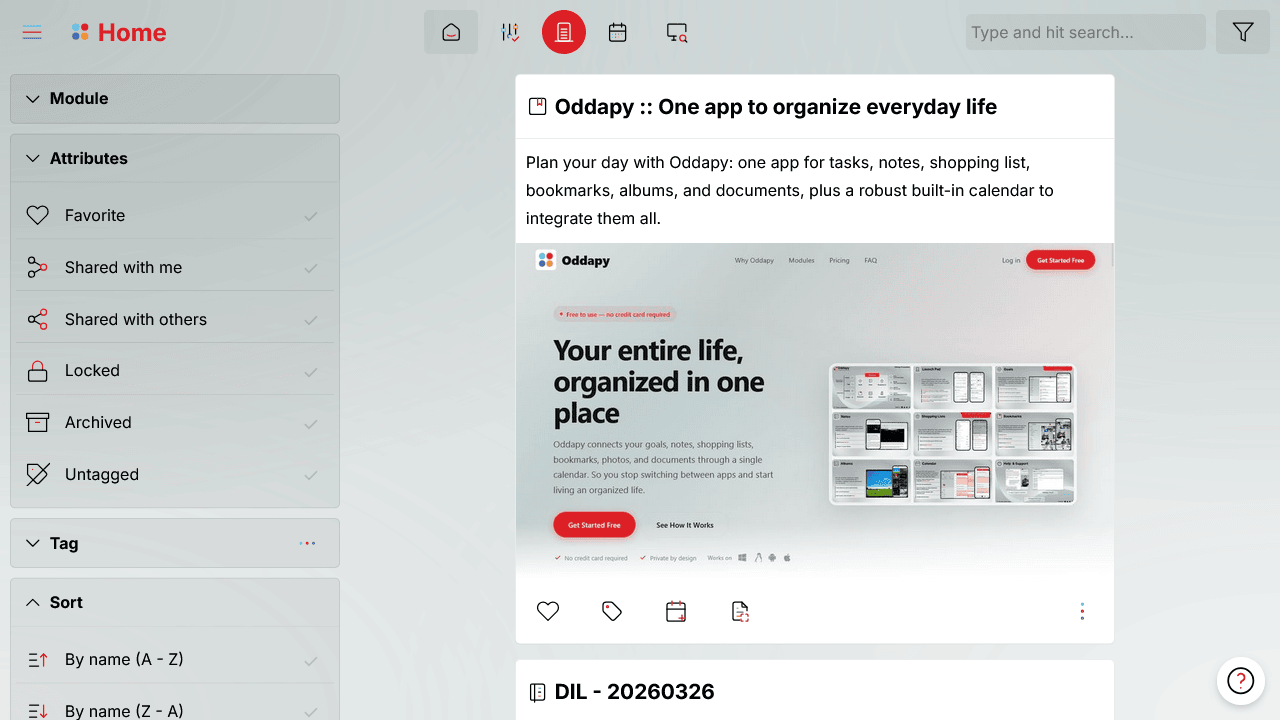
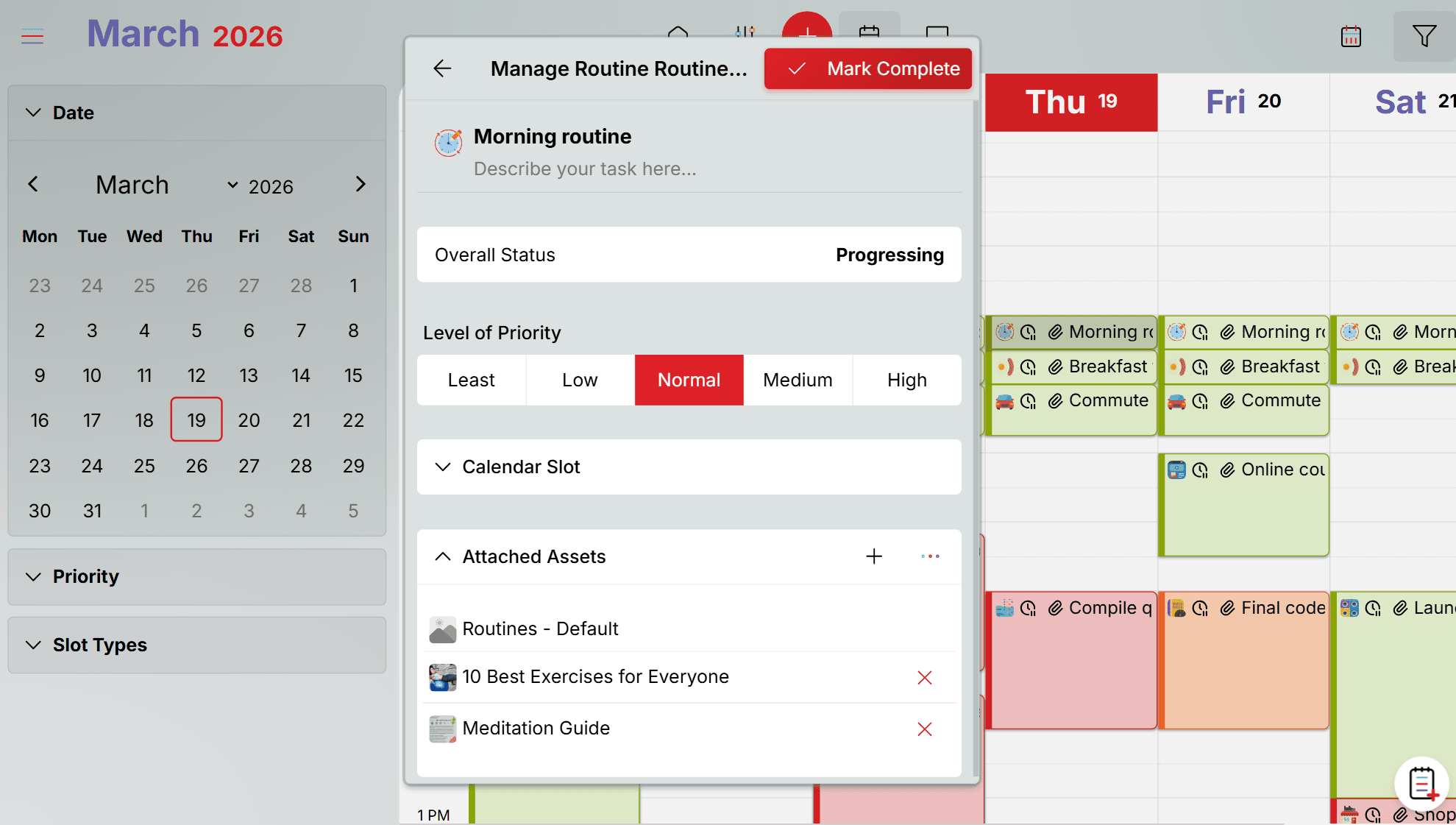
Saving a link and reading it are two different things. Oddapy bridges the gap. Attach any bookmark to a calendar slot, and it's there waiting at the scheduled time. Found an article but can't read it now? Attach it to your morning focus time, your commute block, or your weekend reading slot.
When the scheduled time arrives, you get a notification — and the bookmarked link is right there in the calendar slot, ready to open. No searching, no remembering, no "I'll get to it later" that never happens.
Access from any browser, any device
Your bookmarks live in Oddapy, not in a browser. Switch from Chrome to Firefox. Replace your laptop. Use a different phone. Your bookmarks are still there — accessible from any device with a browser, always in sync, never lost to a browser migration or a device change.
Your most important links, one tap away
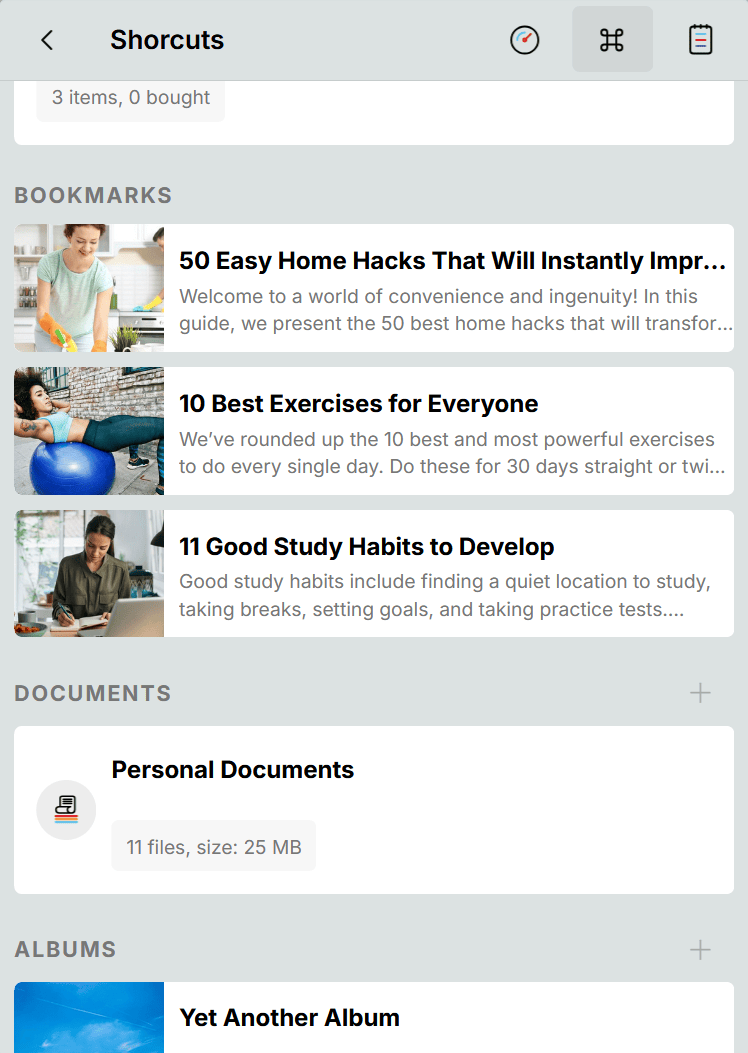
Pin up to three bookmarks to the Launch Pad Shortcuts page. Each pinned bookmark appears as a visual button — the site thumbnail on the left, the title and summary on the right. Tap it and the link opens directly. No navigating into the module, no searching through folders.
This is ideal for links you access frequently — a project dashboard, a reference tool, a news site, a learning platform. Keep them pinned as long as you need them, and swap them out when your focus changes.
Share what you find with the people who need it
Bookmarks can be shared with any Oddapy user. If the recipient is a contact, you share directly with granular permissions — Edit, Delete, Share, and Download, each controlled independently. If the recipient is not a contact, you share via URL — always read-only.
Found a great article your colleague should read? Share the bookmark. Collecting resources for a group project? Share an entire folder's worth of links with your team. The links stay in your library — sharing gives others access without giving up your organization.
A library for every kind of link
Read Later
The classic use case, done right. Save an article, attach it to a calendar slot, and actually read it. No more bookmark folders full of links you saved six months ago and never opened. The calendar turns "read later" into a scheduled action.
Work Resources
Dashboards, tools, documentation, client portals — the links you access every day at work. Save them in a Work folder, pin the most-used ones to the Launch Pad, and stop relying on browser history to find them.
Research & Study
Collecting sources for a paper, a project, or personal learning. Organize by topic folder and tag by relevance. When it's time to study, the links are organized and accessible from any device — not buried in a browser you used three weeks ago.
Recipes & Lifestyle
Save recipes, product pages, travel guides, how-to articles — the everyday content that enriches your personal life. Add cover photos for visual browsing. Tag by category. Attach a recipe to your meal prep calendar slot.
Your browsing interests stay private
Your bookmarks are stored in your private space. Files are encrypted at rest and in transit. No one sees what you save but you. There are no ads, no profiling, and no data selling. Oddapy doesn't analyze your bookmarks, profile your interests, or sell your browsing patterns to advertisers.
Your first bookmark, in under 30 seconds
Save a link
Copy a link from any browser. In Oddapy, tap the plus button, select Bookmark, and paste. Oddapy captures the name and description automatically. Edit them if you want, or move on.
Organize
Assign the bookmark to a folder. Add tags for quick discovery. The default folder works fine to start — you can reorganize later as your collection grows.
Schedule or pin
Want to read it later? Attach it to a calendar slot. Need it frequently? Pin it to the Launch Pad. Either way, the link is no longer lost in a browser — it's part of your organized life.
Stop losing bookmarks across browsers and devices
Sign up free. Save your first bookmark in seconds. Folders, tags, and your calendar are ready from day one.
Start Saving Free Install AppBookmarks is just one part of an organized life
Save a link, attach it to your calendar alongside goals, notes, and shopping lists. Keep everything connected in one app.